---
layout: default
title: Homework
nav_exclude: true
---
Session 04 - Asynchronism / Space Again (15 points)
In this session we are dealing with the topic of asynchronism, where we encounter it in every day life and what it means for us as humans. In terms of tech, this session introduces you to some web-specific JavaScript functionality and syntax, which we will need in the upcoming sessions.
JavaScript Functions & Asynchronism
Task 04.01
Re-cap the sections in the script regarding higher order functions and their different syntax formats. As a beginner you can skip the more advanced sections that we haven’t covered in class:
At the very least make sure that you understand the underlying functionality and that you will be able to work with the syntax when given to you, e.g., from a framework.
If you are more advanced, make sure that your understand Closures, Promises and Async and Await.
Submission: Done
Task 04.02 - Coding Practices
Reflect on your usage of resources and Machine Learning tools for coding.
- What have you used and how has it served you?
- Do you actually understand the code an ML tool has given to you (in case you have used any)?
- Would you be able to re-create it without any help?
- What can you recommend?
- How do you want to proceed?
*Submission: used it in the beginning to directly look a specific lines of code or tell me about errors.
I moved on and let it help me make plans, integrate features and fix syntax, spacing and readability of code. I also let it recommend me some best practice code behavior which (like I stated in previous submissions) is smart but unintuitive for a beginner.
I think I would be able to recreate some of my projects but it would take a lot more time, be less clean and have some bugs/ best practice behavior I didn’t consider.
For simple features like screen scaling and other aspects I usually let an AI give me the code that I just need to add.
What I use (not in this example but in working for my final submission): Gemini to create a project plan and split up tasks Recommending Approaches and ChatGPT + Claude to fix/ inspect code and recommend different solutions.
I Recommend:
Only partially using AI for specific tasks. So you still understand your code
Let it help you break up problems and help you with individual pieces.
Be careful. When I worked with an AI and gave it some of my code, I got a working version back but for me it was way less comprehensive. So sometimes when fixing your code the AI optimizes it to a point you lose control and can no longer work on it without the help of the AI. (This has been partialy the case in this submission.)
Three.js
Task 04.03 - Your Own Scene
Create a Three.js scene up to your liking. There are no constraints for what the scene should be. The result should be polished and will be graded on concept, form / design and implementation quality.
You are required to use additional functionality that you haven’t yet used last week. Check the three.js manual or the examples for inspiration.
Submission: Make it Rain
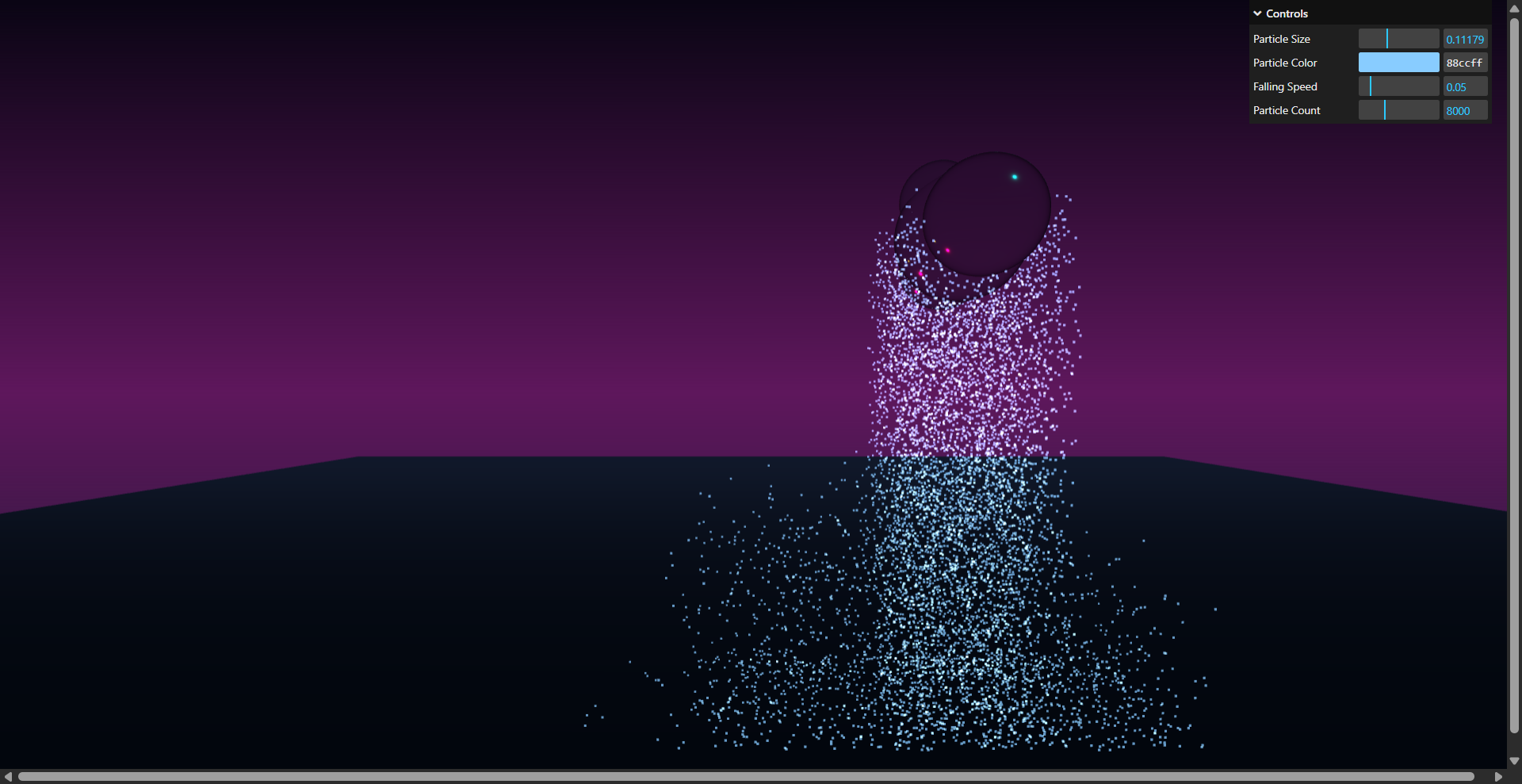
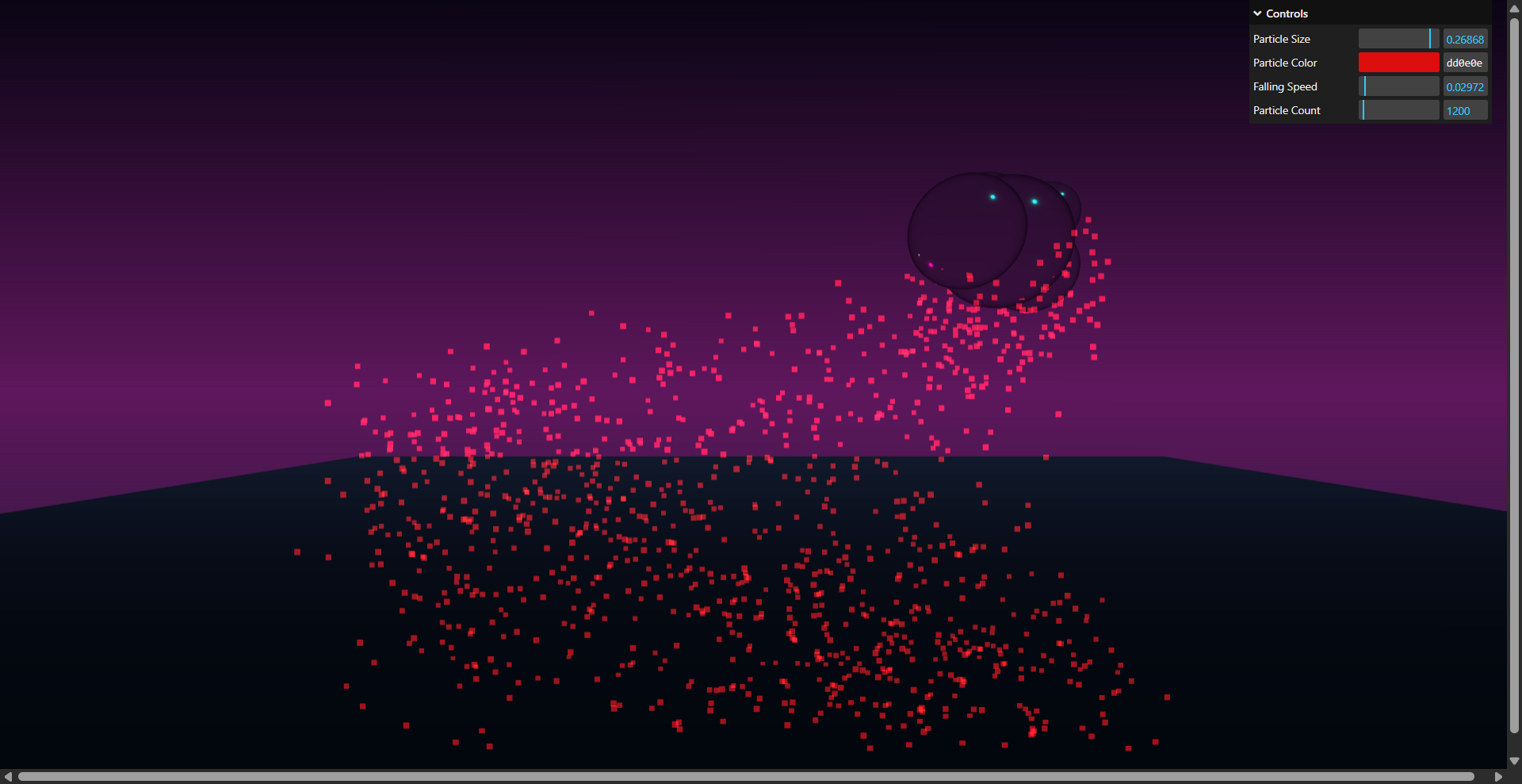
A simple particle simulation
Folder: sub_03_dietze
Video and alternative download: https://owncloud.gwdg.de/index.php/s/0QXz5e1ZFUyHBHG
Learnings
Please summarize your personal learnings. What was challenging for you in this session? How did you challenge yourself?
Submission: I feel like my takes on working with Machine Learning are a reflection of my learnings and struggles are my learnings and challenges.