Avatar Engine
Unreal Engine’s MetaHumans are used to quickly build, display, animate and distort virtual clones of the Actors.
The integreation deep into the UE systems makes it feasible to render high-quality avatars in real-time using UE’s various systems optimized for real-time rendering in virtual production contexts.
File Management
Authors: Malte Hillebrand
File Change History:
| Date | Change | Author |
|---|---|---|
| 2026-06-11 | Seperated Animation of the Avatar | Malte |
| 2026-05-04 | First Version | Malte |
Building an Avatar
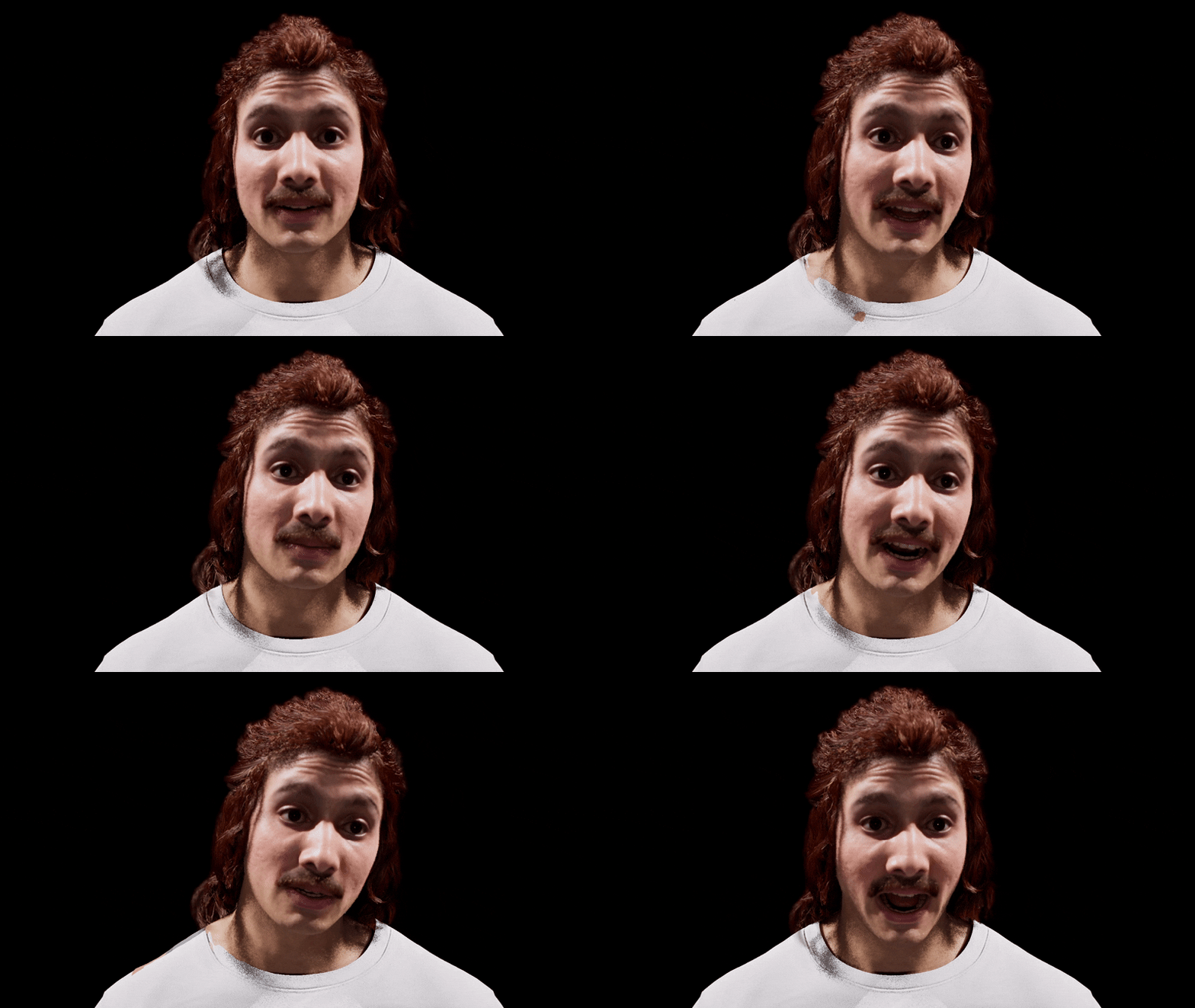
A variety of tools with varying degrees of complexity can be used to produce a MetaHuman Identity which Unreal Engine can animate. Likeness to an actor can be achieved via manual labor and comparison or a more advanced technical pipeline.
Key Concepts & Definitions
- MetaHuman Identity: A specialized asset in UE that acts as a “bridge.” it maps a unique 3D mesh (from a scan or photo) to the standardized MetaHuman topology
- MetaHuman DNA: The underlying data file that contains the specific vertex positions, rig constraints, and animation logic for a character. It ensures the avatar behaves realistically regardless of its shape
- Mesh to MetaHuman: The automated process within Unreal Engine that “wraps” the standard MetaHuman topology onto a custom 3D scan
“Standard” Method: MetaHuman Creator (MHC)
- Preset Start: Choose from a library of diverse humans
- Sculpting: Manually adjust features using a sculpt tool or by blending between different preset faces
Advanced Methods of Cloning a Human
MetaHuman Animator (Live Link Face for iOS)
Uses the TrueDepthfront camera of an iPhone to capture facial geometry
The actor performs a neutral pose and a profile turn in the MetaHuman Live Link app. The data is sent to UE to solve the MetaHuman Identity
👍 Extremely fast; captures the general mesh
👎 Can not transfer a texture
Photogrammetry (RealityScan / Meshroom)
The most high-fidelity method, involving 50–200 high-resolution photos of the actor.
Photos are processed into a dense point cloud and then a high-poly mesh. This mesh is imported into UE as the source for a MetaHuman Identity
👍 Captures the detailled mesh; captures detailled texture
👎 Hard to automate; slow and tedious process; need to transfer the texture on the complex MetaHuman UV map (unclear, need to try)
FaceBuilder by KeenTools
A plugin for Blender that allows for “manual photogrammetry” from a limited set of photos
Align a base head model to 2D photos by placing “pins” on features (nose, eyes, lips)
👍 Great for when you cannot perform a live scan and only have reference photography; produces a very clean mesh that is easy for the MetaHuman solver to process
👎 Manual labor, time intense
OpenCV Pose Estimation (Skeletal Scaling)
OpenCV can be used to match the body proportions
Webcam feed of the actor is processed using OpenCV to extract specific metrics: total height, arm length, and shoulder width
Ratios are used to drive the “Body” selection in MHC or procedurally scale the skeletal bones in the UE Blueprint Construction Script
Comparison & Combination
| Method | Accuracy | Setup Time | Complexity | Best For |
|---|---|---|---|---|
| MHC Only | Low | Low | Low | Generic background characters |
| iOS Link | Medium | Medium | Low | Rapid prototyping/Live rehearsal |
| FaceBuilder | Medium-High | High | Medium | When actor is not physically present |
| Photogrammetry | Ultra-High | Very High | High | Hero “Clones” for close-ups |
Combining Tools: In practice, FaceBuilder / iOS link used to get the facial structure right, Photogrammetry for the skin textures, and OpenCV to ensure the avatar’s height matches the physical actor on stage
Sending Data
Getting data in and out of Unreal Engine
Transfering Framebuffers
A variety of open-source solutions leverage GPU architecture to send and recieve framebuffers with low-latency.
While Spout and Syphon are the fastest through their OS-specific integration, sharing raw textures directly on the local GPU, NDI offers a cross-plattform solution by encoding video to send over an IP network.
❗ Raw pixel data is important for img2img generation using Diffusion models, compression artifacts can alter the diffusion output siginificantly and hinder a visually consistent output.
Spout (Windows)
✅ Transfers raw pixel data
Syphon (MacOS)
✅ Transfers raw pixel data
NDI: Network Device Interface (Cross-Platform)
Encodes the video and sends it over an IP network and can also be easily routed locally (using 127.0.0.1 or localhost) to share frames between apps on the same machine.
Integrated into Unreal Engine: NewTek provides an official Unreal Engine plugin.
❌ Sends compressed video frames
Applies a lightweight compression codec. Latency is low (usually around 1 frame), technically slightly heavier on the CPU/GPU than Spout’s or Syphon’s raw memory sharing.
Native Unreal Alternative: Pixel Streaming
❌ Sends compressed video frames
It uses a one-way-out architecture to compress and send video frames out of Unreal Engine.
It does not have the capabilities to recieve an image / framebuffer as an input for a shader etc.
Animation Data
The LiveLink protocol can be used to send data structures from and to Unreal Engine, but it is not designed to parse any arbitrary JSON data. While third-party plugins enable the features, it is computationally heavy! Other, more efficitent data types can be used to improve performance, but still limit actions to animating a skeletal mesh.
OSC (Open Sound Control) as a protocol can be natively used within Unreal Engine to send and recieve any data, does not have to be sound (!). It organizes data using a URL-like address system. Instead of sending a confusing string of numbers, you send a specific value to a specific address.
| Protocol | JSON via LiveLink | OSC (Open Sound Control) |
|---|---|---|
| Performance | Moderate (CPU parsing strings) | Better (Parsing binary data) |
| Ease of Use (Animation) | High. LiveLink maps data directly to skeletal rigs automatically | Low. Have to manually route actions in a(n Animation) Blueprint |
| Flexibility | Limited mostly to transforms and blendshapes | Virtually endless. Can trigger events, change material colors, spawn particles, etc |
| Support | Requires custom third-party plugins | Native UE plugin, supported by almost all creative software |
Distorting an Avatar
When distorting the avatar, it is important to keep the animation of the TTS and its body language intact and not interfere with this animation layer.
Hence, all distortions appear afterwards and transform later parts of the pipeline.
Mesh Distortion
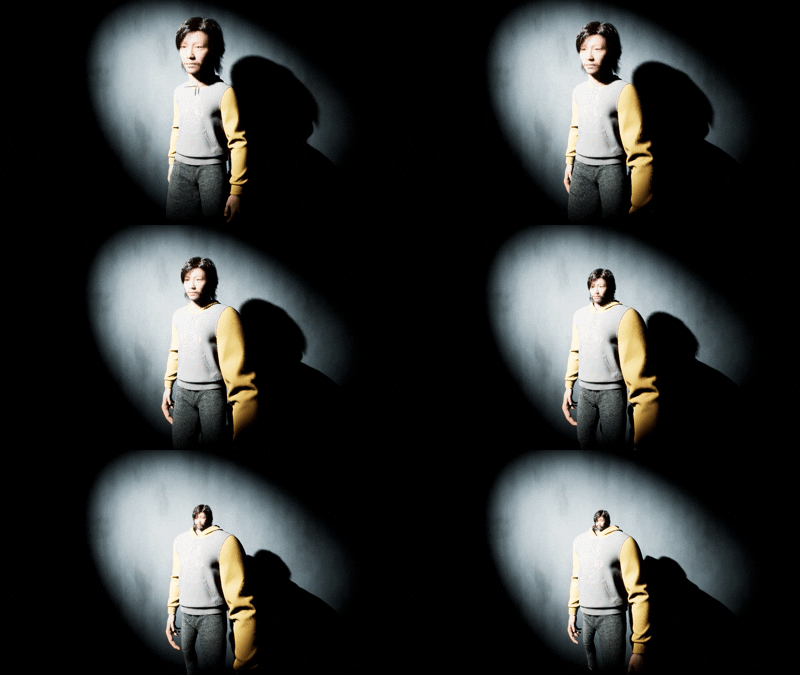

The bones’ of a MetaHuman can be transformed.
(Vertex) Shader Distortion
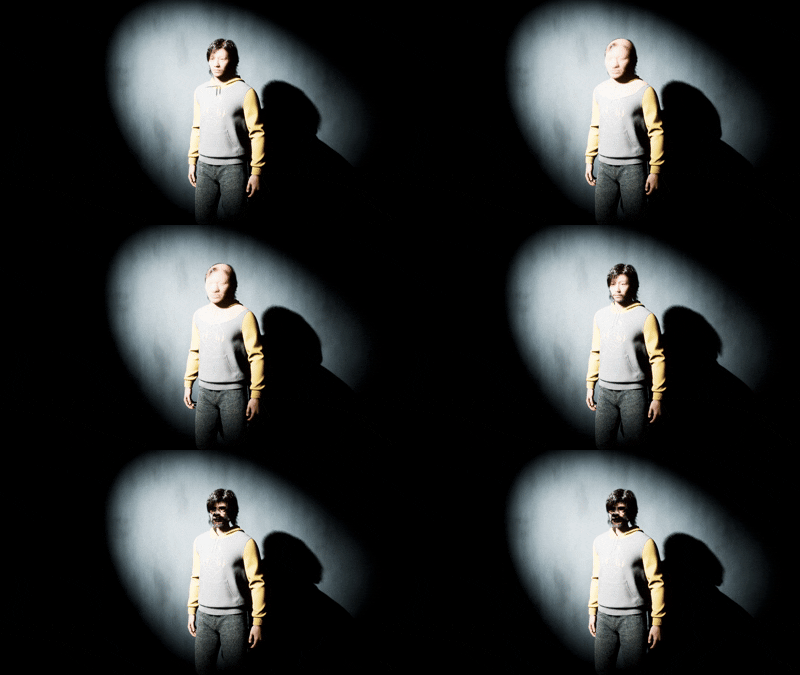
The vertex shader of a MetaHuman can be dsiplaced to transform the mesh.
Neural Style Transfer
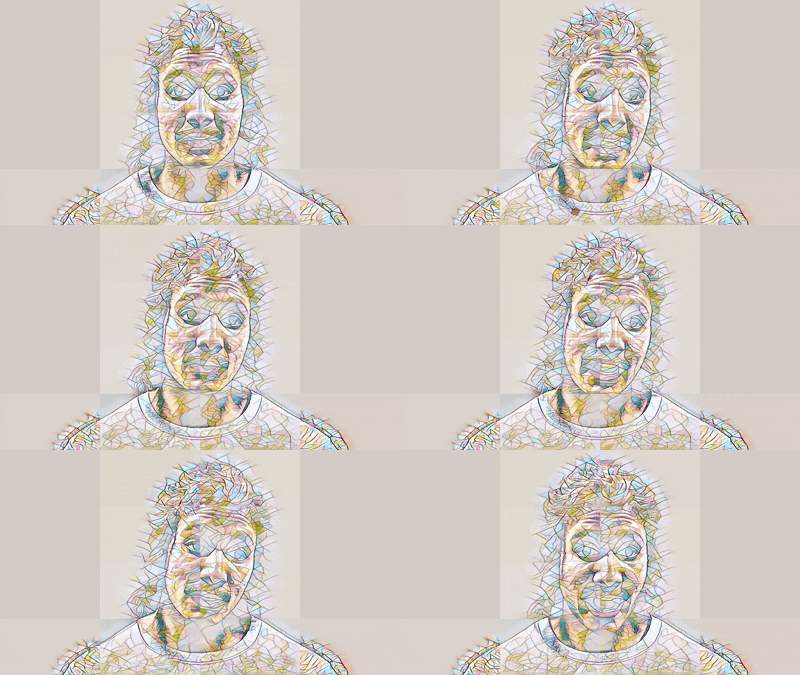
Using Unreal Engine’s Neural Post Processing, ONXX Style Transfer of the framebuffer is possible within the Engine.
This is significantly faster than applying a style transfer on the framebuffer: The render pipeline does not need to render a high-quality MetaHuman first, just for it to be processsed again!
Scrambled LiveLink association
e.g.: left eye controls right arm
Framebuffer to Image2Image Diffusion
By transfering a framebuffer to ComfyUI, the output of the render can be used as basis to generate an image.